0:00
For our LED random brightness project we need first to get our Arduino board
0:18
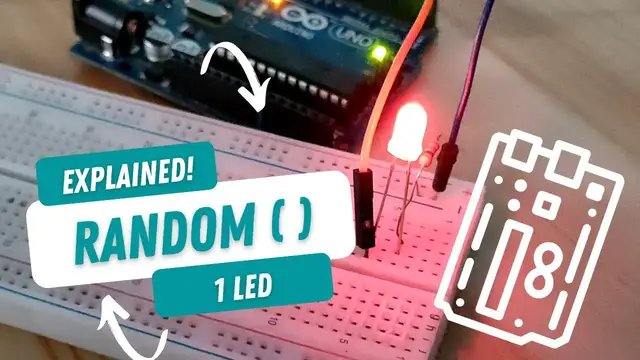
place it somewhere here and then get one led i'm gonna place it here
0:27
and i also need one resistor a 220 ohm resistor i i'm gonna place this in the negative side
0:39
and then connect that one the negative side of the LED to the ground pin of the
0:47
Arduino board and the positive side I'm just gonna connect one jumper wire and
0:53
connect it to digital pin 3 so to arrange my wires here and basically this
1:02
is the breadboard diagram for our project now let's go to the code of our
1:11
random brightness for one LED project okay so for the variables we need a
1:20
variable to hold our random values we need random numbers from 0 to 255 since
1:29
these are the PWM values that we need PWM values these are explained thoroughly in the fade in fade
1:40
out project okay so 0 to 255 that is an integer so we can use int data type and let name our variable
1:51
as random led val we don't have to assign it any value yet since anyway in the loop function later
2:01
on we will assign it random numbers and the second variable that we need will be for our led which is
2:11
connected to digital pin 3 so that's in and let's give it a name let's say led pin with a value of
2:21
3 for digital pin 3 those are all the variables we need for the setup we just need first to set up
2:29
our LED pin as an output pin so that's pin mode LED pin and output
2:43
and then there's another thing we need to do in the void setup
2:47
now every time we or Arduino generates random numbers it gets it from a default
2:56
seed like a basis where to get these random numbers so we need to change that one we need to
3:05
give it a random seed okay and where do we get this it could be uh the time of the day or a week
3:14
day or a value from a pin an arena pin which is not connected to anything so for example an og
3:24
pin which is not connected to anything will give us floating values from 0 to 1023 So let get that seed We type in og read
3:36
So we are reading og 0 and we just have to make sure that og pin 0 is not connected to anything
3:46
That is all for our setup function. Let's now go to the loop
3:52
For the loop function, so the first thing we need to do here is to assign the random number for our random led
4:01
val this variable we now need to assign it a number from 0 to 255 okay so we simply need to
4:11
type in that variable name random led val and then to get a random value we type in the random
4:19
function and then the minimum number that we want and the maximum number that we want
4:27
However, I'm going to type here 256 because based on the syntax, anything we write here
4:37
that number will be subtracted by 1. So basically, we get 0 and 255
4:48
Okay. Next is so now we have our random LED valve which contains a random number we use that number to write to our LED so we type in og write so we just have to make sure that the LED is connected to a PWM pin for this to work So og write and then our LED pin
5:22
where the LED is connected to and the value of its brightness the PWM value and we will get that
5:31
from our random lead val variable okay so that's it we um we give it a delay you can
5:47
type in any number here i would like to give it a delay of 100 milliseconds
5:53
so what happens is after 100 milliseconds it will go back to the first code inside our loop function
6:00
which is random so every 100 milliseconds our random lead valve variable will get a random
6:10
number from 0 to 256 and that number is what arduino will use to write to our lead pin
6:18
so in this way our led will get random brightness every 100 milliseconds so that's it i'll just have
6:28
to upload oh check first i have the correct board and correct port okay and upload save that one